After every one-hour meeting, flipping through notes only to find three lines like 'OKR alignment' and 'next week delivery' — that frustration, probably every professional knows. Same in class: the teacher speaks fast, you look down to jot a line, look up and two slides have passed. As for research reading, extracting core arguments from a lengthy paper often takes half an hour.
I've tried many speech-to-text tools that can record, transcribe, and translate, but in the end I still had to read through everything again to distill the key points. It wasn't until I came across Tidenote AI Note Assistant: Smart Recording for Meetings, Classes, and Research, One-Click Summary Generation, that I truly bridged the gap from 'capture' to 'understanding'.
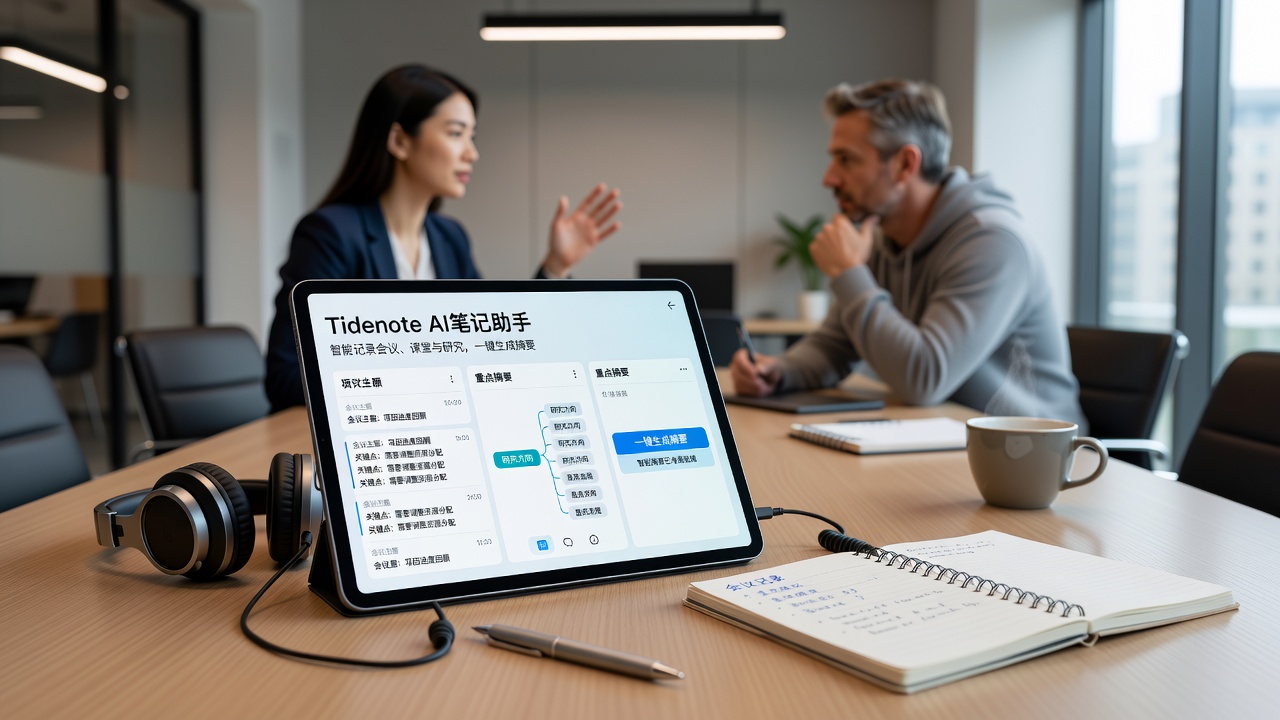
How does it save you time?
Tidenote does two things: convert speech to text, then let AI organize the text into the summary you need. But the difference is it doesn't take a one-size-fits-all approach. After recording a one-hour meeting, you get not just a verbatim transcript, but a logically segmented meeting minutes, action items, and key decision points. Classroom recordings automatically remove the teacher's filler words and repeated explanations, leaving only definitions, formulas, years, and names. Research materials are even better — you first use Tidenote to capture the entire article, then ask it 'What are the limitations of this paper?' and it finds the answer from context.
One of the scenarios I tested was the weekly Monday product meeting. Previously, I would record with other tools, then go home and listen while marking key points — a 25-minute recording would take three or four listens to write the weekly report. Using Tidenote's meeting mode, after the meeting ended, within about ten seconds, a clean minutes came out, even with annotations like 'Xiao Wang said' and 'PM feedback' already separated. I only spent five minutes filling in translations for a few English terms, and then I could directly post it to the project group.
Class Notes: From Falling Behind to Having a Rhythm
Another typical scenario is online open courses. Those recorded sessions often exceed attention span limits — a 90-minute class, and rewatching is even more draining. I tried using Tidenote to record while playing (or directly import pre-downloaded audio). It captures keywords in real time, and by the time the class ends, my notes are already generated. The most obvious benefit is that during class I can take no notes at all, just stare at the screen and think about the questions the teacher poses. After class, I directly look at the summary and jump back 30 seconds to review parts I didn't understand. This rhythm transforms learning from 'passive copying' to 'active digestion'.
Of course, not all course formats are suitable. If the teacher tends to write on the board full screen, or heavily relies on charts to explain logic, Tidenote's pure audio recording falls short. After all, it's not a visual tool; you need to handle board screenshots separately.
Research Materials: Summary Is Just the Starting Point
When doing research or writing reports, we often need to quickly judge whether an article is worth reading in depth. Tidenote's summary mode is actually well-suited for this scenario — paste your PDF or web link, and the AI first gives a summary. If you find it interesting after reading, then you dive into details. A more practical feature is follow-up questions: for example, 'How did the author verify the hypothesis?' or 'What is the sample size?' The AI doesn't fabricate (at least in my tests it didn't make things up); it extracts relevant content from the original text to answer you. This is much faster than flipping through pages yourself.
But there is an obvious limitation: the summary after all does not retain all details. If you are writing a literature review and need precise citations, you still need to go back to the original text to verify every specific data point. Also, Chinese academic texts often have complex nested sentence structures; Tidenote performs notably more smoothly in English scenarios, while in Chinese there are occasional odd sentence segmentation issues, but they don't affect understanding the gist.
Who is it for? Who might find it insufficient?
If you fall into one of these categories, Tidenote will likely help you: professionals who have at least three internal meetings per week, knowledge workers self-studying online courses, students or researchers who need to quickly filter through a large volume of literature. It is suited for scenarios where 'information input is large but word-by-word verification is not needed'.
Conversely, if you need extremely high accuracy for legal meeting records, medical diagnostic discussions, or must make annotations line by line against the original text, then you would need professional transcription software. Tidenote's summary mode compresses many details, leaving only what it deems important — and that 'it deems' may not fully align with your judgment.
A realistic approach is to treat Tidenote as a high-efficiency pre-filter, not a final archiving tool. Use it to quickly get the skeleton, then you fill in the flesh and polish. This way you neither waste AI's capabilities nor leave critical judgments entirely to the machine.
Summary
After using Tidenote AI Note Assistant for a month, my greatest takeaway is not how 'smart' it is, but how it changed my habit of anxiously taking notes before recording. Now in meetings and classes, I dare to put down my pen and listen attentively, knowing that I have a reliable summary to fall back on afterward. This sense of relief is perhaps what a tool should truly provide.
Comments
Leave a Comment