To be honest, I tried this Tidenote app with some reluctance.
I was falling behind on my work. Last week, I had two online meetings in a row—one about adjustments to the Q2 operational strategy, the other a technical proposal review from a partner. I tried to jot down key points while listening, but if my mind wandered, I had to go back to the recording, which usually took at least half an hour.
It was truly exhausting. So when I saw someone recommend this thing—an AI note-taking app with automatic summaries—I thought, "What's there to lose?" and clicked in.
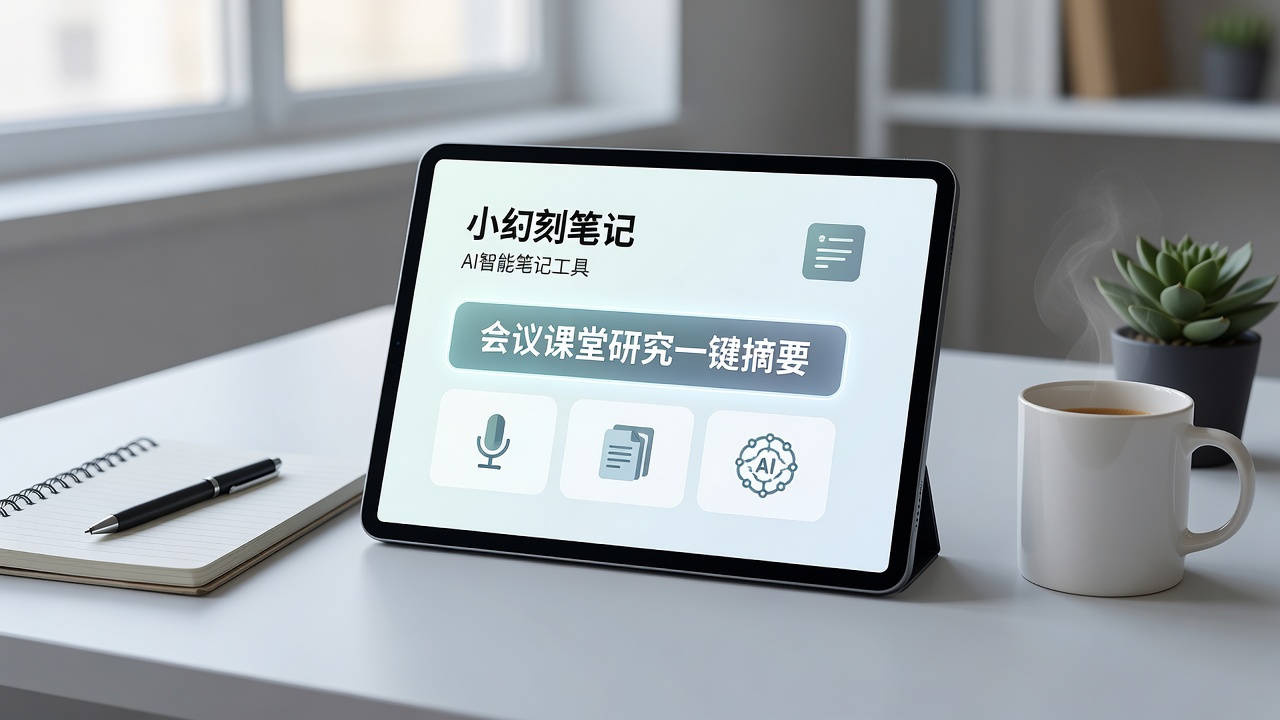
What does it actually do? It lets you throw what you want to note but don't have time for to the AI for organizing.
The usage logic of Tidenote is very simple: whether you're in class, in a meeting, or studying a pile of materials, just turn on its recording feature or import an existing audio/video file. It will transcribe the content into text and then extract the key points for you.
The first scenario I tried it on was that operational strategy meeting I mentioned earlier. A one-and-a-half-hour meeting—I just recorded it. After about ten minutes, it gave me five core points: adjustments to the key channels for this quarter's ad spend, reasons for budget allocation changes, several critical deadlines next month, two deliverables I needed to produce, and one thing I had missed—a question raised by a team member that I hadn't caught. When I later asked a colleague, it turned out the question was indeed brought up and discussed during the meeting, but I had mentally glossed over it.
That extraction accuracy was more reliable than I expected. The fact that it picked up that question showed me it wasn't just a log of "who said what," but actually captured points worth discussing.
Classroom and research scenarios: Strengths in summarization, weaknesses in filtering noise
If it was impressive in the meeting room, it was a bit more nuanced in the classroom.
I tried recording a lecture on communication theory. The professor was the interactive type, frequently engaging with students, often saying things like "the guy in the white T-shirt, share your understanding." The full transcription from Tidenote was fairly accurate, but in the final summary, it diligently included the students' responses as key points—even though those responses had little reference value for the main content of the lecture.
The upside is that if you only want the professor's core arguments, it can indeed extract them. But if you want the AI to skip meaningless interactive content, it currently can't fully filter out the classroom "noise."
In other words, it's better suited for speeches or lectures with a clear theme and structure. For situations with lots of free discussion and interwoven Q&A, you'll need to do some manual filtering.
The research scenario plays more to its strengths. I imported a few long English research papers to test, and the summaries it gave covered the main points and key data citations quite reliably. It also handles mixed Chinese-English content without needing to switch modes manually, which is very practical for cross-language reading.
Who it suits and who it doesn't
I thought for a long time about how to summarize its target audience.
You're likely a good fit if:
- You often attend project discussions and cross-department meetings, and need to send a brief to-do list and consensus points to your team afterward.
- You're a graduate or upper-level undergraduate student dealing with dense course content and sitting through multiple long lectures each week.
- You have a large volume of Chinese and English literature or industry reports to organize and don't want to read every word carefully.
But you might want to wait or look for alternatives if:
- The meetings or classes you attend are highly random with off-topic remarks—you need a "complete, unabridged record" rather than a summary.
- You rely heavily on detailed handwritten or typed notes, and AI summarization might make you feel you've lost the specifics you wanted to record.
- You need real-time transcription display—Tidenote currently focuses on post-processing and can't provide live, sentence-by-sentence output.
One more thing worth noting: Privacy and pricing
Since it involves converting audio to text and processing it in the cloud, you need to weigh the privacy implications. Regular meetings and classroom content are generally fine, but for content involving trade secrets or personal privacy, it's advisable to upload cautiously or blur it in advance.
The free version has a monthly processing time limit, sufficient for normal light use. But if you're feeding it large audio files every day or want to export more advanced analysis reports, you'll need a subscription. This is similar to other tools on the market—not particularly cheap, but not exorbitantly expensive either. It comes down to how often you use it to judge whether it's worth it.
Honestly, Tidenote is not one of those apps that "changes your study/work efficiency the moment you install it."
It's more like a co-pilot that helps reduce the time you spend on repetitive listening and manual organizing: the main thinking and analysis still have to be done by you.
But if you're feeling overwhelmed by fragmented information, it's a tool that can help you spend less time on the "organizing" part.
Comments
Leave a Comment